Open in Naver — Myeongdong Food
Browsing restaurants in Myeongdong on Google Maps?
See real Korean reviews and menus on Naver — one click, no Korean typing needed.
Add to Chrome — it's free
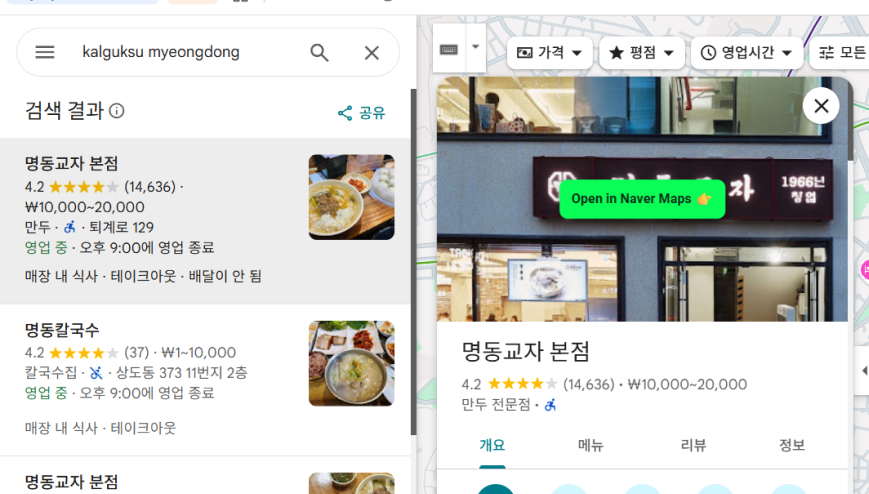
How it works
- Install the extension (takes 10 seconds, no account needed).
- Search any restaurant in Myeongdong on Google Maps as usual — e.g. Myeongdong Gyoja, Wangbijip.
- If it's one of our 88 curated spots, a button appears right on the listing (green button in picture).
- Click it to open the exact same restaurant on Naver Map in a new tab — local reviews, real menus, current photos.
Good to know
- Currently covers 88 well-known restaurants in Myeongdong, Seoul, each verified against official address data (not just name matching) — a pilot, with more areas planned.
- No account, no login, no setup. It only activates on Google Maps and Naver Map pages.
- Independent, non-commercial project — not affiliated with, endorsed by, or sponsored by Google or Naver.